Payout Timings, Spin Game
Payout timings for spin game: requirements, timings, costs and what to do when something goes wrong.
What is Payout Timings?
Payout timings at Spin Game refer to the exact window of time between when you submit a withdrawal request and when the funds appear in your bank account, UPI wallet, or chosen payment method. Unlike deposit transactions, which are typically instant across PhonePe, GPay, BHIM, and IMPS, withdrawals pass through a multi-stage review process before the money leaves Spin Game's system and travels to your account. The distinction is important: deposits are pull transactions confirmed by your bank in seconds, while withdrawals are push transactions that require Spin Game's finance team to actively release funds on your behalf.
Understanding payout timings matters because it helps you plan your cash flow, avoid unnecessary support tickets, and choose the withdrawal method that suits your schedule. If you need funds urgently, say, before a weekend or a public holiday like Diwali, knowing the end-to-end timing lets you submit your request at the right moment rather than being caught off guard by a 12-hour NEFT batch cycle. On Spin Game (777-spin.com), payout timings are broken into two distinct phases:
- Processing time: the internal period during which Spin Game's finance and compliance team reviews and approves your request. This currently runs 0 to 24 hours for verified accounts, with the vast majority of standard UPI and IMPS withdrawals cleared within 0 to 4 hours on business days.
- Transfer time: the period after approval during which your bank or payment provider moves the funds to your account. This varies by method and is entirely outside Spin Game's direct control once the payment has been dispatched.
The total payout timing is always the sum of both phases. A withdrawal approved in 2 hours via UPI, for example, will typically reach your PhonePe or GPay wallet within minutes of approval, giving a total end-to-end time of roughly 2 to 3 hours on a normal business day. By contrast, the same amount sent via NEFT could take up to 16 hours when batch settlement cycles and processing windows are factored in.
Payout timings also vary depending on your account status. Fully verified players with a clean withdrawal history enjoy the shortest timelines. New accounts processing their first withdrawal, or accounts that have recently updated their payment details, will experience a longer one-time review as a fraud-prevention measure. Additionally, withdrawal amounts above ₹50,000 are subject to enhanced compliance checks regardless of account age, which can add several hours to the processing phase. Understanding these variables upfront means you will never be surprised by a delay that is actually a routine part of the system.
How Payout Timings Works
Every withdrawal you raise on Spin Game moves through a defined pipeline with clear, traceable stages. Here is exactly what happens at each step, and where the time goes:
- Request submission: You navigate to the Spin Game cashier, enter your withdrawal amount (minimum ₹500, maximum ₹5,00,000 per transaction), and confirm your registered payment details. The request is timestamped immediately and assigned a unique reference number visible in your Transaction History. This step takes under 60 seconds on your end.
- Automated KYC and balance check (under 5 minutes): Spin Game's system runs three checks in parallel: (1) it confirms your account has cleared identity verification, (2) it validates that the withdrawal amount does not exceed your real-money balance after any locked bonus funds are excluded, and (3) it checks that all active wagering requirements linked to your balance have been fully met. If any of these checks fail, the withdrawal is automatically flagged and you receive a notification explaining which condition needs to be resolved before re-submission.
- Finance review (0 to 24 hours): Requests that pass the automated stage enter the human review queue. A member of Spin Game's payments team manually reviews all withdrawals above ₹50,000 and any request flagged by the risk system. Standard withdrawals from verified accounts below this threshold are typically batch-approved throughout the day, with reviews running continuously between 9 AM and 9 PM IST, seven days a week including Sundays. Requests submitted before 6 PM IST are almost always processed within the same day. Requests submitted between 9 PM and midnight enter the early-morning queue and are usually approved by 9 AM the following day.
- Payment dispatch: Once the finance team marks a withdrawal as approved, the payment instruction is sent directly to the banking or crypto rail. From this point the funds are out of Spin Game's system and moving through your chosen provider's infrastructure.
- Credit confirmation: You receive an SMS and in-app notification once Spin Game dispatches the payment. For UPI transactions, the credit typically registers in your PhonePe, GPay, Paytm, or BHIM app within seconds to 10 minutes of dispatch. For bank transfers, you will receive a separate SMS from your bank once the credit posts to your account.
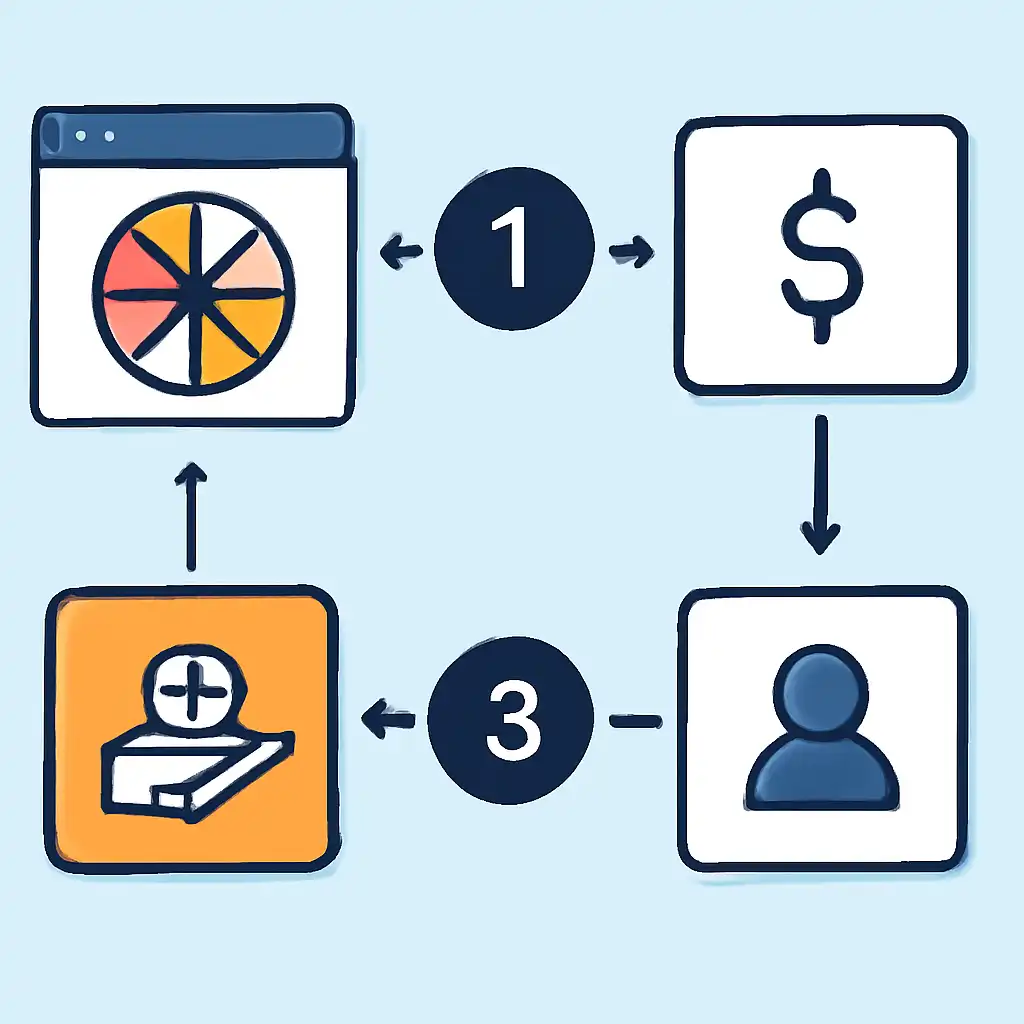
Payout timings by payment method
The table below shows realistic end-to-end timings under normal conditions. "Processing time" is the Spin Game internal review phase; "transfer time" is what the payment provider adds after dispatch.
| Payment Method | Processing Time (Spin Game) | Transfer Time (Provider) | Typical End-to-End | Holiday Impact |
|---|---|---|---|---|
| UPI, PhonePe, GPay, Paytm, BHIM | 0 to 4 hours | Instant to 10 minutes | Under 4 hours | None, 24/7 |
| IMPS (Immediate Payment Service) | 0 to 4 hours | 30 minutes to 2 hours | Under 6 hours | None, 24/7 |
| NEFT (National Electronic Funds Transfer) | 0 to 12 hours | 2 to 4 hours (RBI batch cycles) | Up to 16 hours | Delayed on RBI holidays |
| Cryptocurrency, USDT (TRC20) | 0 to 6 hours | 2 to 10 minutes (TRON network) | Under 7 hours | None, blockchain is always live |
| Cryptocurrency, Bitcoin (BTC) | 0 to 6 hours | 20 to 60 minutes (network confirmations) | Under 7 hours | None, blockchain is always live |
UPI vs IMPS vs NEFT: which is fastest for Indian players?
For the overwhelming majority of Spin Game players in India, UPI is the fastest and most convenient withdrawal method. Here is a direct comparison to help you decide:
- UPI (PhonePe / GPay / BHIM / Paytm): Available 24 hours a day, 7 days a week, 365 days a year including all public holidays. Funds credited in seconds to minutes after Spin Game dispatches the payment. No upper daily limit from Spin Game's side (your UPI app may impose its own per-transaction limits, typically ₹1,00,000 per transaction on PhonePe and GPay, split large withdrawals accordingly). Zero fees. Best for players who want money fast.
- IMPS: Also available 24/7 and processes in real time. Slightly slower than UPI because the interbank messaging layer adds 30 minutes to 2 hours, but there is no per-transaction cap imposed by IMPS itself, your bank's daily IMPS limit applies. A good alternative if your UPI app's per-transaction limit is too low for the amount you are withdrawing.
- NEFT: Settled in batches every 30 minutes by the RBI between 8 AM and 7 PM on working days. On RBI gazetted holidays, NEFT does not process at all, meaning a withdrawal approved at 6 PM on a Friday before a Monday public holiday may not reach your bank account until Tuesday morning. Avoid NEFT unless IMPS and UPI are unavailable on your account.
Practical recommendation: Register a PhonePe or GPay UPI ID as your primary withdrawal method on Spin Game. It is the fastest, most reliable, and cheapest option available to players in India, and it works even on Diwali, Holi, or any other national holiday when bank branches are closed.

What happens during peak withdrawal periods?
Spin Game processes significantly higher withdrawal volumes on weekends, at the end of major cricket matches (IPL finals, India vs Pakistan games), and during festival periods like Diwali and Navratri. During these periods, processing times may extend toward the upper end of the stated windows, a request that normally takes 2 hours might take 6 hours during peak load. Submitting your withdrawal early in the day during high-traffic events gives you the best chance of hitting the same-day review window. Spin Game's support team posts status updates on the platform's notification centre if processing times are running above normal.
Payout Timings Common Questions
- Why is my withdrawal still showing "Pending" after 24 hours?
- A request that exceeds the 24-hour processing window is almost always held for one of four reasons: (1) your KYC documents have not been fully approved, a common issue when the PAN card upload is blurry or the name on your account does not exactly match your Aadhaar; (2) an active bonus with unmet wagering requirements is linked to your real-money balance, which means bonus funds are inflating the figure you see but cannot be withdrawn yet; (3) the withdrawal amount has triggered an enhanced compliance check because it exceeds ₹50,000 or because your account's deposit-to-withdrawal pattern flagged an automated review; (4) your registered payment details, UPI ID or bank account number, have been recently changed and require a 48-hour hold as a security measure. Open live chat on 777-spin.com and quote your withdrawal reference number. The support team can pull up the exact hold reason within minutes and tell you what action, if any, is needed from your side.
- Does Spin Game charge a withdrawal fee?
- Spin Game does not charge any processing or service fee on withdrawals made via UPI, IMPS, or NEFT. Your withdrawal amount is exactly what arrives in your account. The only exception is cryptocurrency: when withdrawing USDT via TRC20 or BTC, a small network fee (gas fee) is deducted from the transferred amount. This fee is set entirely by the blockchain network and fluctuates, USDT on TRC20 typically costs under ₹10 equivalent in TRX, while BTC fees can range from ₹50 to ₹500 depending on network congestion. Spin Game displays the estimated network fee before you confirm a crypto withdrawal so there are no surprises.
- Can I cancel a withdrawal request after submitting it?
- Yes, but only while the status reads "Pending" and the request has not moved to "Under Review" or "Approved." To cancel: go to Cashier → Transaction History → locate the pending withdrawal → tap the Cancel button next to it. The amount is immediately returned to your Spin Game balance and is available to play with or re-submit. Once the status changes to "Approved" or "Dispatched," the transaction cannot be reversed under any circumstances, the funds are already in transit through the banking or blockchain network.
- Why did I receive less money than I requested?
- The most common cause is a bonus balance deduction. If your total account balance included bonus funds that had not yet converted to real money through wagering, those funds are automatically stripped out at the point of withdrawal, you can only withdraw real-money balance. For example, if your balance shows ₹10,000 but ₹3,000 of that is an unconverted welcome bonus, your actual withdrawable balance is ₹7,000. Check Promotions → My Bonuses → Active Bonuses for a live breakdown of your real-money vs. bonus balance before submitting a withdrawal. A second (rarer) cause is a failed payment retry: if a UPI credit attempt fails because your registered VPA (Virtual Payment Address) is incorrect, Spin Game may re-attempt via IMPS to a linked bank account, and the small difference in processing fees on the bank side can occasionally result in a marginally lower credit on very old accounts.
- Does submitting multiple withdrawal requests on the same day slow things down?
- Accounts in good standing can submit up to three withdrawal requests within any 24-hour period. Multiple simultaneous requests from the same account are batched and reviewed together by the finance team, which can marginally extend processing time compared to a single request, the reviewer must reconcile all three before approving any of them. If speed matters, consolidate into one withdrawal per day. If you need to split a large amount across two transactions (for example, to stay within a UPI per-transaction limit), submit the second request only after the first has reached "Approved" status.
- What are the minimum and maximum withdrawal limits on Spin Game?
- The current minimum withdrawal is ₹500 per transaction, amounts below this cannot be processed. The maximum per single transaction is ₹5,00,000 (five lakh rupees). There is no stated daily maximum cap at the platform level for verified accounts, meaning you can submit multiple ₹5,00,000 transactions within the same day if your balance supports it, subject to the three-request-per-day limit. For balances requiring withdrawal of more than ₹15,00,000 in a single day, contact Spin Game VIP support directly to arrange a manual bank transfer with higher single-transaction limits.
- My GPay shows the money received but my bank balance has not updated. Is the withdrawal complete?
- Yes, when a UPI credit registers in your GPay or PhonePe app, the transaction is settled and the funds are already in your linked bank account. The delay you are seeing is simply your banking app's refresh cycle. Force-refresh your bank's app or check your account statement via net banking, the credit will appear there even if the app home screen has not updated. Most Indian bank apps (SBI YONO, HDFC Mobile Banking, ICICI iMobile, Axis Mobile) update balances within 5 to 15 minutes of a UPI credit.